Aptean Industrial Manufacturing ERP is a cloud-based software solution that gives users real-time visibility and control over manufacturing and business operations. Edited by Evan Doran Aptean says its Industrial Manufacturing ERP cloud offering provides the security and flexibility businesses need to navigate through the modern business environment of regulations, data requirements and uncertainty. The company especially recommends its software to manufacturers in job shops or dynamic “to-order” and mixed-mode environments. Aptean Industrial Manufacturing ERP is a scalable solution that provides protected data backups and which alleviates the additional costs of equipment and maintenance. Cloud features enable customers to achieve real-time visibility and control over manufacturing and business operations system-wide. Integrated enterprise resource planning and production scheduling capabilities mean Aptean’s software also delivers the actionable data and flexibility needed to maximize shop floor efficiency while reacting swiftly to customer demands. The software’s ERP features can help users plan, schedule, execute and track operations. “Today’s users expect to be able to access enterprise resource planning software from any location and any device, at any time,” says Marianne Chikos, group vice president at Aptean. “With these enhancements, we’ve created an ERP built especially for industrial manufacturers that delivers simpler access, more flexibility and integrations into various business solutions that will equip them to perform more efficiently during uncertain times.” You know how to machine metals, but what about plastic machining? More specifically, glass-fiber-reinforced plastic? This machine shop has it figured out. An MTConnect-enabled monitoring system gives this shop a clear and simple picture of machine tool usage. Applying “intelligent algorithms” to part geometry and linking to appropriate sources of other required information can make the job-quoting process faster, more accurate and more likely to be competitive.
Small business owners have a lot on their plate. Not only do they have to worry about the day-to-day operations of their business, but they also have to keep track of inventory and make sure that they are making a profit. Those tasks can be quite a challenge, especially if you don’t have the right tools. Luckily, inventory management apps take a huge responsibility from your plate. Imagine for a minute… you’re a company doing business, and inventory is automatically managed. You don’t have to physically track it. That’s great, right? However, which one should you get is the big question.
An inventory management app holds information about inventory, including accurate counts of many items. Having an up-to-date accurate number is a huge advantage to maintaining quality control and customer service with your business. Owners and customers both benefit. Most inventory management apps handle anything from a small stockroom with one location and 10 items to massive enterprises. They achieve these feats through standard and additional capabilities and integration. These can include built-in tools such as an inventory tracker app, low stock alerts, sales tracking, and point of sale (POS) integration. Also, inventory management applications can help you with item tracking, supply chain management, warehouse management, inventory data management, item kitting, expense management and more. The key is finding a simple inventory system for small business you can easily deploy and use.
Finding the Best Inventory Management Apps for Your Business
Rest assured, there’s an inventory management app that’s perfect for your business. There are factors for you to consider as you review the information. Factors include the number of users, inventory volume, equipment, app integration, app cost and type of inventory items to track. Also, consider the system where you want to use the app—whether it be on your smartphone or the web.
Your company needed an inventory tracking system yesterday. So you don’t have to wade through the massive list of inventory management apps, we’ve done the hard work for you and compiled a list of 20 of the best ones. Now you can check out all the apps in one place and decide which is the best fit for your company. These apps will help you keep track of your inventory, make better decisions about what to sell, and ultimately help your business grow!
1. Sortly App
The Sortly app is one of the best inventory management apps out there, and it allows you to keep track of your stock in multiple positions. It’s flexible, affordable and you can have it working in no time flat. Any changes or updates to your system can be made through the mobile app, allowing you to manage your stock anywhere. Available on: iOS, Android and desktop
Pricing: They have a free plan that includes 100 transaction entries/month. Their standard plans run from $49/month (includes 2,000 transaction entries/month) to $119/mo (unlimited limited transaction entries).
2. Zoho Inventory App
Zoho Inventory is an addition to the company’s CRM apps suite that allows you to manage your stock and warehouses. Zoho’s dashboard lets you get a bird’s eye view of purchases, total sales, low stock and items packed. A lot of its power comes from its ability to integrate with around 2,000 apps that are supported by Zapier. Besides being a strong inventory tracker, the app integrates with eCommerce platforms like eBay, Etsy, Amazon and Shopify. Available on: iOS, Android, Windows Phone and Web
Serial and batch tracking to monitor stock movements
Item list for adding SKUs, grouping items and item kitting
CRM, eCommerce and accounting integration
Pricing: Zoho has a free basic version with limited access to premium features and 4 different subscription rates ranging in cost from $25up to $239. These plans also have add ons you can purchase separately like additional users, orders and warehouses.
3. SAP Inventory Manager App
The SAP company has been around since the 70s, so it’s no wonder they have a pretty comprehensive mobile app to manage stock and optimize warehouse and stockroom operations. The SAP Inventory Manager is an extremely customizable app and it’s designed for businesses of all sizes and offers tools to manage inventory levels like barcode scanning, order tracking and management, supplier management and more. Available on: iOS, Android, Windows Phone
Delivrd is a cloud-based inventory collaboration platform. Its inventory management software is robust enough to handle and track stock item movements and order fulfillment for anyone from small eBay sellers to large eCommerce retailers. The app has a wide array of tools, and it integrates with a large number of global carriers and shipping providers to make order fulfillment accurate and easy. Available on: Web
Price: Delivrd offers a basic free inventory software plan a paid plan and a custom plan—their free plan is very limited, though, and only allows 10 products, 1 user and a few other basic tools. If you want to upgrade to a paid plan, their most popular one is priced at $49.99/month/user.
5. Inventory Now App
Perfect for retailers who need to see a snapshot of their stock or a certain number of items in a particular segment is Inventory Now. What this means is that you can monitor and track stock items as they make their way through their end-to-end lifecycle where they bought, received, stored, sold, shipped and delivered—all in real-time. Available on: iOS and desktop
Barcode scanner support (data can be imported into iOS devices, such as an iPhone)
Order Tracking of individual sales or purchase orders.
Check out and collect payments with Paypal Here or Square Point of Sale
Reconciliation exported to Dropbox
Create/view/export invoices and receipts
Sales and profit activity tracking
Price: You can try the Inventory Now app for free and that option allows you to manage up to 20 items without an account. Paid plans range from $7/month to $99/month. You get discounts with an annual plan.
6. SOS Inventory App
SOS Inventory has an intuitive interface and its software program integrates with QuickBooks Online, giving you much better management of inventory, orders and manufacturing than with QuickBooks by itself. The mobile app also integrates with several shipping vendors and major e-commerce shopping carts. . Available on: iOS and desktop
Pricing: SOS Inventory offers a 14-day trial and 3 paid plans that range from $49.95 to $149.95
7. Jumpstock App
Jumpstock manages your stock and avoids stockouts by letting you easily record, move and track your material. The platform is best for health systems and hospitals with 200 beds or more and supply chain leaders. The app also assists in the enforcement of pre-negotiated purchasing contracts to ensure optimal pricing from vendors. Available on: iOS, desktop and Android
Pricing: Requires a JumpStock license that is available from Jump Technologies. Pricing is specific to the features you need to use.
8. On Shelf App
Bars, lounges and small retailers with fast and furiously moving products like to use the On Shelf app because it allows them to quickly see what items are in stock and which ones need to be ordered. Besides that, you can use the app to easily see what items are flying off the shelf and ones that have been sitting there for a while collecting dust. You can also use On Shelf for creating, customizing and managing invoices and POs. Available on: iOS
Items and product categories displayed with a barcode reader
Customer-specific tracking, including buying history
Analysis and sales reports
Log a sale function updates inventory
Sync your data between multiple users and devices
Send and print reports
Pricing: In-app purchases start at $4.99/user or you can pay $49.99 to add multiple users.
9. Stock Control 2 App
Warehouse managers will like Stock Control 2, which allows them to stay on top of inventory items across multiple locations and multiple groups. This aspect of this inventory management system comes in handy when you’re managing stock for a couple of different businesses or if you keep track of personal inventory but want it separated from your business. Other inventory management tools allow the generation of item list catalogs that you can print or send by e-mail. Available on: iOS & Mac Key features
User-friendly search tools
Shortage alerts; low stock notification of items
Import or export data to a .csv file
Manage inventory for multiple businesses
Location sorting; item listing
Statistics and reports
Manage quantities in various storage locations
Pricing: There is a free version, but it limits you to 15 items; it’s $26.99 for the full version.
10. Veeqo App
Veeqo is a cloud-based platform that has built-in shipping that works with shipping platforms like FedEx, UPS and USPS to manage and ship your orders. The platform also has Amazon-like fulfillment capabilities to speed up dispatch operations. Veeqo also allows total real-time sales transparency across all of your sales channels in one location. Key features:
21+ direct integrations to sales channels and popular marketplaces
Multi-channel order management
Analytics, forecasting tools
Barcode labels, scanner, digital picking
Imports and manages bulk shipping orders
Parcel and inventory tracking, delivery confirmation
Available on: iOS, Android, desktop site Pricing: $160-$260
11. inFlow Inventory App
Product-based businesses will like how the inFlow Inventory app helps you manage inventory tracking, orders and shipping all in one place. For example, you can use your smartphone or the inFlow Smart Scanner to transfer, pick, receive and adjust your inventory. You can also use the app’s accounting integration to push all your financials directly to QuickBooks Online. Key Features:
Barcoding/RFID
3PL Management
Backorder management
Product management and optimization
Alerts/Notifications
Backorder Management
Cost Tracking
Cataloging/Categorization
Available on: iOS, Android, desktop (Windows & Linux) Pricing: They have a free 14-day trial version. They have 3 paid plans, and all of them include inventory, purchasing, and sales. Prices range from $89.00/month (2 users) to $499/month (10 users, unlimited inventory locations).
12. Cin7 Inventory and POS App
The Cin-7 Inventory and POS app connects all your accounting, order, and shipping workflows, making your business easier to run. The app also integrates with eCommerce platforms like Shopify, BigCommerce, Magento and WooCommerce. Detailed reporting on stock levels and sales allows you to easily keep track of items and update your online marketplace so that you never stock out or oversell. Available on: iOS, Android Key features:
Advanced multi-channels
Integrates with Quickbooks
Order management
B2B eCommerce
Built-in EDI
Reports and forecasting
Pricing: They have 3 flexible paid plans and a custom paid plan. Their small business plan for merchants selling products to consumers online is $299/month. The next level up is their business plan for $539/month and is for product sellers who are focused on wholesale sales or B2B.
13. Inventory Control with Barcode Scanner App
Good for startups and small businesses is the simple to use and highly customizable Inventory Control with Scanner by Starkode Limited. The app comes with barcode scanner tools that help you maintain a robust inventory management system. Inventory tracker apps let you can scan items for quick and accurate tracking to keep your stock organized and readily available. Available on: iOS Key features:
Supports multiple languages and currencies.
EAN and UPC barcode support
Price list and invoice reports
iCloud Support lets you sync data between other apps and devices
Organize important data through sort and group list feature
Customizes your item, merchant and storage categories
Pricing: Starkode offers a free trial and 2 paid plans: professional (Single User, $14.99/month) and Enterprise (3 users, $29.97/month). You save 10% with an annual plan.
14. Ordoro App
The Ordoro app lets you operate and optimize your inventory operations and fulfillment workflows like a large-scale enterprise at a fraction of the cost you’d pay with many other platforms. With it, you get multiple dropshipping methods, a multi-channel approach to sales and inventory management, bulk shipping label-making, product photos and more. Available on: iOS, Android, desktop Key features:
Barcode system for item-to-order verification
Alert for a low inventory item
Discounted shipping with USPS (up to 67%)
Shipping software includes barcode scanning
Sync with sales orders, product quantities; adjusts stock
Constructs kits using multiple bundles
Pricing: Ordoro has flex pricing where you get charged with the actual use of the platform vs a flat fee. Their Express plan starts at around $60, but you’ll want the Pro Plan that starts at $499/month if you want all the product management tools and other whistles and bells you need for serious eCommerce shipping.
15. myStock Inventory Manager App
myStock is full-blown inventory management software that is targeted at small to medium businesses as well as individual organizations. With it, you can manage stock transactions and do costing easily without a huge investment. The application allows a user to keep detailed records of stock on their mobile device as well as update stock movements of multiple inventory centers and locations in real-time. Available on: iOS, Android, desktop site Key features:
Built-in barcode reader
User-definable product categories
Analytics and reporting
Data import from .csv file for products
View product list sorted by code, name or category.
Backup and restore to Dropbox
Pricing: Plans start at $4.99 on Amazon and Slideme widgets.
16. Asset and Inventory Tracker App
The Asset and Inventory Tracker App is an excellent solution for business owners who need to keep track of their assets and stock items at multiple locations. Designed to be used with Ventpix Asset Software, the app also allows you to quickly create a database of items, manage and track your stock levels, add photos of your items, and assign quantities. Smartphone apps allow you to use your iPhone or Android to tap NFC tags or as barcode scanners. Available on: iOS, Android, desktop computer Key features:
Check-in and out assets or import assets and stock in a custom format
Generate and print barcodes in several formats including Codabar and Datamatrix
Supports 1-D and 2-D barcode formats, including QR codes.
Manage stock, including transfers, stock retakes and reduction
Manage deliveries and goods received or dispatched
Pricing: One-time charge of $299 for the server version and $199 for the Windows OS version.
17. Cashier Live App
Cashier Live App was designed with business retail owners or those operating independent pharmacies in mind. The app’s inventory management and smart point-of-sale features help you keep track of your stock levels, sales data and reports. Its expanded options with Cashier Live services include extensive reporting options; customer tracking. Available on: iOS or desktop site Key features:
Barcode ticket scanning and label management
Integrates with hardware devices like barcode scanners, receipt printers, cash drawers and more.
CRM
eCommerce and inventory management
Email marketing; loyalty program
Built-in credit card reader for processing payments.
Multi-location; multi-store
Pricing: Free 14-day trial version and paid plans start out at $75/month per store.
18. Partender: Bar Inventory Software App
Partender is an inventory management program for bar and restaurant owners. The app helps keep track of liquor, wine and beer stock levels, allowing you to ditch your clipboard system for a rapid inventory counting system. Counting and setup are made faster because employees can use Android and iPhone devices simultaneously to split up the work. Available on: iOS, Android Key features:
Generate a PO that’s sorted by distributor in Excel
Add a full bottle or counts stock items by sequences of smartphone taps
Stock item tracker can gauge use and analyze cost and profit
Consumption analytics gives you essential inventory information; identifies fast movers and slow-moving stock,
Reconcile with your Point-of-Sale (POS)
Pricing: $249 monthly but as low as $165 monthly with an annual subscription.
19. Odoo App
Odoo is an inventory management app that is part of a larger software system in the Odoo family. Its comprehensive set of unique double-entry features includes stock level tracking, barcode scanning, product and customer data, sales reports and analysis, as well as accounting and warehouse management. Deliver to customers in one step (delivery order) or several steps: picking, packing, shipping. Available on: iOS, Android Key features:
Barcode scanners, serial number tracking
Double Entry Inventory tracking system
Dropshipping and cross-docking
Point of sale stock item adjustments
Stock transfers
Multi-warehousing
Invoicing
Pricing: You can choose users at $24/month or pick the individual features you want from an app list for prices that range from $12-$72/month. For instance, you can get Point of Sale for $24/month and CRM for $24/month. Extra integrations work similarly.
QuickBooks is accounting software that offers an inventory management app as part of its QuickBooks Commerce solution. The eCommerce app is designed for small businesses and eCommerce retailers to help manage stock levels, product data, sales orders, invoicing, accounting and shipping from one centralized multi-channel platform. Available on: Desktop, cloud-based Key Features:
Track and fulfill orders for your sales channels
List your product details to multiple channels simultaneously
Manage inventory with multiple users across warehouse locations
Create a custom online B2B store for wholesale transactions
Track income and expenses and maximize tax deductions
Automatically calculate sales tax on your invoices
Pricing: QuickBooks Commerce $50/month and QuickBooks Online Essentials $50/month. Users must pair the app with a Quick Books online subscription.
Inventory Management App Free Versions
Most inventory tracker apps, including some of the ones on this list, have a free version. However, the tools you get with the free version are limited, and they are going to vary by company. If you have 1-3 users that will be doing light warehouse activities, most free versions will work for your company. One plus is if you want to upgrade, you can stay with operating systems that you’ve already learned.
What is the best free inventory app?
It’s hard to beat the free plans that Sortly and the Zoho Inventory App offer. Sortly has a plan that is forever free for a single user, and it includes 100 transactions a month. Zoho’s free plan is similar but you get 2 users, composite items and Shopify integration. These free plans are best for small businesses that do basic warehousing and fulfillment services.
What is the best inventory management app for Android?
Which app is best for your operation depends on which facet of tracking your goods is most important to your company. For example, if you want to integrate with eCommerce sites, look to Zoho, Cin7 Inventory and POS and Veeqo for your inventory management system. Each can handle barcode scanners. If you do the bulk of your shipping with USPS, Ordoro makes sense with its discounted USPS shipping. Jumpstock, with its inventory management module, is a favorite with newbies. If an item doesn’t have a barcode, it can be entered by item number. As a software solution, users report it is easy to learn. You can include product information too.
What is the best inventory management app?
If it’s important for you to be able to integrate your inventory management software with eCommerce sites, you have a number of choices: Zoho, Veeqo, and Cin7 Inventory and POS all have that capability. If you need to manage product categories and amounts as items are shipped, you need a specific type of inventory control app. SAP Inventory Manager, Inventory Now, On Shelf, InFlow, and Odoo are reliable picks for this requirement. If you’re selling direct to a customer, using a Point of Sale system, Cashier Live is a top pick. You can use iOS or the web. You can enter your items in a variety of ways. If you don’t have barcodes on your products, you can invent a unique code for each product, and enter that; then the item is removed from inventory when sold. Cashier Live also has a customer tracking feature. The customer tracking feature allows you to store a customer’s purchase history. You can use that data to suggest other possible interests or purchases. Syncing stock levels with sales can be an important feature for a business. No sales rep who has just landed a big order wants to find out that the item or items are no longer in stock. That’s a sure way to lose customers. A firm with multiple sales reps will find stock tracker apps that immediately subtract stock in response to sales orders invaluable. Apps that sync sales orders with stock include Zoho, InFlow Inventory, Ordoro and others. Each sales rep enters orders on iOS or Android devices, using a mobile app. What’s the best overall, though? Our choices for the best overall inventory management apps are Zoho and Sortly. They both feature full-featured inventory control systems that are fully scalable at rock-bottom prices. For instance, Zoho is good for small businesses, but if growth takes off, you can integrate it with the Zoho ERP system and other Zoho apps to allow the system to handle large-scale inventory management, accounting and sales. On the other hand, with all the tools you get for around $120 per month for Sortly, it’s a pretty great deal, as well. If you need full-scale supply chain management to go with your products and asset managment, SAP Inventory Manager App with SAP Enterprise will be powerful enough to do the job.
What is the easiest way to track inventory?
There is no one-size-fits-all answer to this question, as the best way to track your goods and assets will vary from B2B. However, some tips on how to best track inventory include using a barcode scanner with an inventory to quickly and easily input stock levels, or utilizing an app that syncs with sales orders in order to keep track of inventory levels in real-time. Whichever method you choose, be sure to test it out and ensure that it is the best fit for your business before fully implementing it. How do you get started? Make a list of the tools you need, and choose the best mobile app for your specific business needs. Image: Depositphotos
More in: Software and AppsComment ▼Your email address will not be published. Required fields are marked *
Hi, what are you looking for? By Published Major players in the Enterprise Resource Planning (ERP) market are profiled with company overview, financial overview, product portfolios, recent developments, and strengths and weaknesses. Top Players are: SAP, Oracle, Sage, Infor, Microsoft, Kronos, Epicor “Final Report will add the analysis of the impact of COVID-19 on this industry.” Global “Enterprise Resource Planning (ERP) Market” 2022 Research Report provides meticulous information about industry top players and the upcoming competitors. The report strives to maintain thorough analytical accuracy and providing validated assessment of global market. Also, this report presents a detailed evaluation of various factors i.e. recent trends, development strategy, growth opportunities, risk, barriers, technological advancement, and dynamic structure of the market. An absolute study of prime players at intervals, the market highlights weightlessness of their product description, regional outline, and business tactic. It also includes the limitations and challenges that offers relevant countermeasures. Get a Sample Copy of the Report at –https://www.marketresearchguru.com/enquiry/request-sample/13965785 About Enterprise Resource Planning (ERP) Market: Enterprise resource planning (ERP) is a method of efficiently utilizing people, hardware and software to increase productivity and profit, thus simplifying a company’s business processes. ERP systems merge each of the company’s key operations, including the manufacturing, distribution, financial, human resources and customer relations departments, into one software system. It is widely used in all industries. Enterprise Resource Planning (ERP) Software market is highly competitive, rapidly changing, and significantly affected by new product introductions and the market activities of other industry participants. Enterprise Resource Planning (ERP) Software providers face competition from the customers’ internal information technology departments as well as Enterprise Resource Planning (ERP) Software competitors. Enterprise Resource Planning (ERP) Software service providers much provide a value-added product that is easy to install and cost effective. In 2018, the global Enterprise Resource Planning (ERP) market size was34400 million USD and it is expected to reach 54800 million USD by the end of 2025, with a CAGR of 6.0%between 2019 and 2025. This report studies the Enterprise Resource Planning (ERP) market size by players, regions, product types and end industries, history data 2014-2018 and forecast data 2019-2025; This report also studies the global market competition landscape, market drivers and trends, opportunities and challenges, risks and entry barriers, sales channels, distributors and Porter’s Five Forces Analysis. The global Enterprise Resource Planning (ERP) market report provides decisive research outcomes to aiding their path of making crucial business decision by compiling the research with evidences and actionable information. Besides, detailed information about the upcoming strategies executed by industry leaders provides to help new entrants and elevating their positioning. Likewise, the Enterprise Resource Planning (ERP) market report is designed with advanced methodologies along with the sales and provider analysis. Global Enterprise Resource Planning (ERP) Market Competition by TOP MANUFACTURERS,with production, price, revenue (value) and each manufacturer including: To Understand How Covid-19 Impact Is Covered in This Report–https://www.marketresearchguru.com/enquiry/request-covid19/13965785 Further, it fragments this vertical into multiple segments based on product demand, application scope, technological innovations, and regional market growth to identify and clarify the revenue generation. The report provides a study with an in-depth overview, describing the product types, application, industry scope and elaborates market outlook and status (2019-2025). On the basis of product,this report displays the production, revenue, price, market share and growth rate of each type, primarily split into: On the basis of the end users/applications,this report focuses on the status and outlook for major applications/end users, consumption (sales), market share and growth rate for each application, including: Geographically, the detailed analysis of consumption,revenue, market share and growth rate, historic and forecast (2014-2025) of the following regions are covered: Regions Covered in Enterprise Resource Planning (ERP) Market Report: Inquire or Share Your Questions If Any Before the Purchasing This Report –https://www.marketresearchguru.com/enquiry/pre-order-enquiry/13965785 Major highlights of the Enterprise Resource Planning (ERP) market report: Key Questions Answered in the Report: Purchase this Report (Price 3350 USD for a Single-User License) –https://www.marketresearchguru.com/purchase/13965785 With tables and figures helping analyze worldwide Global Enterprise Resource Planning (ERP) market growth factors, this research provides key statistics on the state of the industry and is a valuable source of guidance and direction for companies and individuals interested in the market. Key Points from TOC: 1 Study Coverage 1.1 Enterprise Resource Planning (ERP) Product 1.2 Key Market Segments in This Study 1.3 Key Manufacturers Covered 1.4 Market by Type 1.5 Market by Application 1.6 Study Objectives 1.7 Years Considered 2 Executive Summary 2.1 Global Enterprise Resource Planning (ERP) Market Size 2.1.1 Global Enterprise Resource Planning (ERP) Revenue 2014-2025 2.1.2 Global Enterprise Resource Planning (ERP) Production 2014-2025 2.2 Enterprise Resource Planning (ERP) Growth Rate (CAGR) 2019-2025 2.3 Analysis of Competitive Landscape 2.3.1 Manufacturers Market Concentration Ratio (CR5 and HHI) 2.3.2 Key Enterprise Resource Planning (ERP) Manufacturers 2.3.2.1 Enterprise Resource Planning (ERP) Manufacturing Base Distribution, Headquarters 2.3.2.2 Manufacturers Enterprise Resource Planning (ERP) Product Offered 2.3.2.3 Date of Manufacturers Enter into Enterprise Resource Planning (ERP) Market 2.4 Key Trends for Enterprise Resource Planning (ERP) Markets and Products 3 Market Size by Manufacturers 3.1 Enterprise Resource Planning (ERP) Production by Manufacturers 3.2 Enterprise Resource Planning (ERP) Revenue by Manufacturers 3.3 Enterprise Resource Planning (ERP) Price by Manufacturers 3.4 Mergers and Acquisitions, Expansion Plans 4 Enterprise Resource Planning (ERP) Production by Regions 4.1 Global Enterprise Resource Planning (ERP) Production by Regions 4.1.1 Global Enterprise Resource Planning (ERP) Production Market Share by Regions 4.1.2 Global Enterprise Resource Planning (ERP) Revenue Market Share by Regions 4.2 United States 4.2.1 United States Enterprise Resource Planning (ERP) Production 4.2.2 United States Enterprise Resource Planning (ERP) Revenue 4.2.3 Key Players in United States 4.2.4 United States Enterprise Resource Planning (ERP) Import and Export 4.3 Europe 4.4 China 4.5 Japan 4.6 South Korea 4.7 India 4.8 Other Regions 5 Enterprise Resource Planning (ERP) Consumption by Regions 5.1 Global Enterprise Resource Planning (ERP) Consumption by Regions 5.2 North America 5.3 Europe 5.4 Asia Pacific 5.5 Central and South America 5.6 Middle East and Africa 6 Market Size by Type 6.1 Global Enterprise Resource Planning (ERP) Production by Type 6.2 Global Enterprise Resource Planning (ERP) Revenue by Type 6.3 Enterprise Resource Planning (ERP) Price by Type 7 Market Size by Application 7.1 Overview 7.2 Global Enterprise Resource Planning (ERP) Breakdown Dada by Application 7.2.1 Global Enterprise Resource Planning (ERP) Consumption by Application 7.2.2 Global Enterprise Resource Planning (ERP) Consumption Market Share by Application (2014-2019) 8 Key Industry Players 8.1 Company A 8.1.1 Company Details 8.1.2 Production and Revenue of Enterprise Resource Planning (ERP) 8.1.3 Enterprise Resource Planning (ERP) Product Description 8.1.4 SWOT Analysis 8.1.5 Audi Economic Activity and Plans 9 Entry Strategy for Key Countries 9.1 Entry Strategy for United States Market 9.2 Entry Strategy for China Market 9.3 Entry Strategy for India Market 10 Production Forecasts 10.1 Enterprise Resource Planning (ERP) Production and Revenue Forecast 10.2 Enterprise Resource Planning (ERP) Production and Revenue Forecast by Regions 10.3 Enterprise Resource Planning (ERP) Key Producers Forecast 10.4 Forecast by Type 11 Consumption Forecast 11.1 Enterprise Resource Planning (ERP) Consumption Forecast by Application 11.2 Enterprise Resource Planning (ERP) Consumption Forecast by Regions 11.3 North America Market Consumption Forecast 11.4 Europe Market Consumption Forecast 11.5 Asia Pacific Market Consumption Forecast 11.6 Central and South America Market Consumption Forecast 11.7 Middle East and Africa Market Consumption Forecast 12 Opportunities and Challenges, Threat and Affecting Factors 12.1 Market Opportunities 12.2 Market Challenges 12.3 Porter’s Five Forces Analysis 13 Key Findings in the Global Enterprise Resource Planning (ERP) Study 14 Appendix Detailed TOC of Global Enterprise Resource Planning (ERP) Market–https://www.marketresearchguru.com/TOC/13965785#TOC Contact Us: Market Research Guru Phone : US +1 424 253 0807 UK +44 203 239 8187 Email : [email protected] Web : https://www.marketresearchguru.com Press Release Distributed by The Express Wire To view the original version on The Express Wire visit Enterprise Resource Planning (ERP) Market Size, Growth-Share 2022 Demanding Technologies, Regional Segments by Opportunities and Challenges, Business Trends and Revenue Forecast to 2025
Managerial accounting is the practice of identifying, measuring, analyzing, interpreting, and communicating financial information to managers for the pursuit of an organization's goals. It varies from financial accounting because the intended purpose of managerial accounting is to assist users internal to the company in making well-informed business decisions. Managerial accounting encompasses many facets of accounting aimed at improving the quality of information delivered to management about business operation metrics. Managerial accountants use information relating to the cost and sales revenue of goods and services generated by the company. Cost accounting is a large subset of managerial accounting that specifically focuses on capturing a company's total costs of production by assessing the variable costs of each step of production, as well as fixed costs. It allows businesses to identify and reduce unnecessary spending and maximize profits. Read more about the common concepts and techniques of managerial accounting. The key difference between managerial accounting and financial accounting relates to the intended users of the information. Managerial accounting information is aimed at helping managers within the organization make well-informed business decisions, while financial accounting is aimed at providing financial information to parties outside the organization. Financial accounting must conform to certain standards, such as generally accepted accounting principles (GAAP). All publicly held companies are required to complete their financial statements in accordance with GAAP as a requisite for maintaining their publicly traded status. Most other companies in the U.S. conform to GAAP in order to meet debt covenants often required by financial institutions offering lines of credit. Because managerial accounting is not for external users, it can be modified to meet the needs of its intended users. This may vary considerably by company or even by department within a company. For example, managers in the production department may want to see their financial information displayed as a percentage of units produced in the period. The HR department manager may be interested in seeing a graph of salaries by employee over a period of time. Managerial accounting is able to meet the needs of both departments by offering information in whatever format is most beneficial to that specific need. Product costing deals with determining the total costs involved in the production of a good or service. Costs may be broken down into subcategories, such as variable, fixed, direct, or indirect costs. Cost accounting is used to measure and identify those costs, in addition to assigning overhead to each type of product created by the company. Managerial accountants calculate and allocate overhead charges to assess the full expense related to the production of a good. The overhead expenses may be allocated based on the number of goods produced or other activity drivers related to production, such as the square footage of the facility. In conjunction with overhead costs, managerial accountants use direct costs to properly value the cost of goods sold and inventory that may be in different stages of production. Marginal costing (sometimes called cost-volume-profit analysis) is the impact on the cost of a product by adding one additional unit into production. It is useful for short-term economic decisions. The contribution margin of a specific product is its impact on the overall profit of the company. Margin analysis flows into break-even analysis, which involves calculating the contribution margin on the sales mix to determine the unit volume at which the business’s gross sales equal total expenses. Break-even point analysis is useful for determining price points for products and services. Managerial accountants perform cash flow analysis in order to determine the cash impact of business decisions. Most companies record their financial information on the accrual basis of accounting. Although accrual accounting provides a more accurate picture of a company's true financial position, it also makes it harder to see the true cash impact of a single financial transaction. A managerial accountant may implement working capital management strategies in order to optimize cash flow and ensure the company has enough liquid assets to cover short-term obligations. When a managerial accountant performs cash flow analysis, he will consider the cash inflow or outflow generated as a result of a specific business decision. For example, if a department manager is considering purchasing a company vehicle, he may have the option to either buy the vehicle outright or get a loan. A managerial accountant may run different scenarios by the department manager depicting the cash outlay required to purchase outright upfront versus the cash outlay over time with a loan at various interest rates. Inventory turnover is a calculation of how many times a company has sold and replaced inventory in a given time period. Calculating inventory turnover can help businesses make better decisions on pricing, manufacturing, marketing, and purchasing new inventory. A managerial accountant may identify the carrying cost of inventory, which is the amount of expense a company incurs to store unsold items. If the company is carrying an excessive amount of inventory, there could be efficiency improvements made to reduce storage costs and free up cash flow for other business purposes. Managerial accounting also involves reviewing the constraints within a production line or sales process. Managerial accountants help determine where bottlenecks occur and calculate the impact of these constraints on revenue, profit, and cash flow. Managers can then use this information to implement changes and improve efficiencies in the production or sales process. Financial leverage refers to a company’s use of borrowed capital in order to acquire assets and increase its return on investments. Through balance sheet analysis, managerial accountants can provide management with the tools they need to study the company’s debt and equity mix in order to put leverage to its most optimal use. Performance measures such as return on equity, debt to equity, and return on invested capital help management identify key information about borrowed capital, prior to relaying these statistics to outside sources. It is important for management to review ratios and statistics regularly to be able to appropriately answer questions from its board of directors, investors, and creditors. Appropriately managing accounts receivable (AR) can have positive effects on a company's bottom line. An accounts receivable aging report categorizes AR invoices by the length of time they have been outstanding. For example, an AR aging report may list all outstanding receivables less than 30 days, 30 to 60 days, 60 to 90 days, and 90+ days. Through a review of outstanding receivables, managerial accountants can indicate to appropriate department managers if certain customers are becoming credit risks. If a customer routinely pays late, management may reconsider doing any future business on credit with that customer. Budgets are extensively used as a quantitative expression of the company’s plan of operation. Managerial accountants utilize performance reports to note deviations of actual results from budgets. The positive or negative deviations from a budget also referred to as budget-to-actual variances, are analyzed in order to make appropriate changes going forward. Managerial accountants analyze and relay information related to capital expenditure decisions. This includes the use of standard capital budgeting metrics, such as net present value and internal rate of return, to assist decision-makers on whether to embark on capital-intensive projects or purchases. Managerial accounting involves examining proposals, deciding if the products or services are needed, and finding the appropriate way to finance the purchase. It also outlines payback periods so management is able to anticipate future economic benefits. Managerial accounting also involves reviewing the trendline for certain expenses and investigating unusual variances or deviations. It is important to review this information regularly because expenses that vary considerably from what is typically expected are commonly questioned during external financial audits. This field of accounting also utilizes previous period information to calculate and project future financial information. This may include the use of historical pricing, sales volumes, geographical locations, customer tendencies, or financial information. Financial Accounting Foundation. "GAAP and Public Companies." Accessed Aug. 16, 2021. Accounting Financial Statements Financial Statements Accounting Financial Statements Accounting Actively scan device characteristics for identification. Use precise geolocation data. Store and/or access information on a device. Select personalised content. Create a personalised content profile. Measure ad performance. Select basic ads. Create a personalised ads profile. Select personalised ads. Apply market research to generate audience insights. Measure content performance. Develop and improve products. List of Partners (vendors)
The editors at Solutions Review have compiled this list of the best human resource ERP solutions and vendors for companies to consider working with. As the Enterprise Resource Planning (ERP) software marketplace continues to grow and evolve, the process for evaluating and selecting a solution for your company has grown along with. With so many different solutions for different industries, company sizes, and use cases, it can be challenging to narrow a search down to only the providers who offer software with the specific qualifications a company needs. There is plenty of crossover with ERP and human resource solutions, like human resource management software (HRMS) and human capital management (HCM) solutions. If your company is looking for an enterprise management platform outfitted with HR-specific capabilities, the vendors below are a good place to start. The Solutions Review editors selected the human resource ERP providers below based on each solution’s Authority Score, a meta-analysis of user sentiment through the web’s most trusted business software review sites, and our proprietary five-point inclusion criteria. Companies are listed in alphabetical order. Description: ADP provides small and mid-sized businesses with a suite of cloud-based HR management software solutions that encompass essential functions like payroll, workforce management, talent, benefits, HR, and more. Companies can use ADP to track hours worked, manage time-off requests, integrate with payroll tools, and manage other administrative and human resource-centric benefits.
Learn more about leading ERP products with Solutions Review’s Free ERP Buyer’s Guide. Description: Ceridian is a global software provider of human capital management (HCM) and payroll software platforms. Dayforce, its flagship cloud-based HCM solution, equips users with workforce management, HR, payroll, and talent management functionalities. The solution is designed to help companies across industries optimize how they manage every stage of the employee lifecycle. Ceridian also provides a payroll-specific management solution, titled PowerPay, which is catered to the needs of smaller companies.
Learn more about leading ERP products with Solutions Review’s Free ERP Buyer’s Guide. Description: Deltek offers a collection of ERP, business development, professional services automation (PSA), project management, human capital management, information management, and small business software solutions. The company’s Core HR solution is designed to equip its users with all the tools needed to manage employee information, maintain records, onboard new team members, and more. Companies can automate manual HR processes and improve data integrity with its single, integrated solution.
Learn more about leading ERP products with Solutions Review’s Free ERP Buyer’s Guide. Description: Epicor Software Corporation provides industry-specific business software designed around the needs of manufacturing, distribution, retail, and services organizations. The company offers unique solutions for business processes and operational requirements available in the cloud or on-premises. Epicor’s HR solutions are designed to integrate with their other industry-specific platforms. They include the tools necessary for automating processes, improving data visibility, maximizing productivity, and improving the recruitment, training, and employee management processes.
Learn more about leading ERP products with Solutions Review’s Free ERP Buyer’s Guide. Description: Exact provides start-ups, small companies, accountants, manufacturing companies, wholesalers, and service providers with a suite of financial and business software solutions that can be deployed in the cloud or on-premises. With its HRM solution, companies can streamline the human resource cycle and improve everything from posting a job opening to managing workforce performance and beyond. Features include HR dashboards, document management, forms, workflows, reports, social collaboration tools, employee self-service, integrated accounting tools, manager self-service, and more.
Learn more about leading ERP products with Solutions Review’s Free ERP Buyer’s Guide. Description: IFS develops and delivers ERP software for customers worldwide who manufacture and distribute goods, maintain assets, and manage service-focused operations. IFS’s products are user-friendly, flexible, and modular in design. IFS’ Human Capital Management solution, included in the IFS ERP product suite, companies can manage their workforce with tools for time and expense allocation, data management, strategic planning, talent development, performance management, and more.
Learn more about leading ERP products with Solutions Review’s Free ERP Buyer’s Guide. Description: Infor is a global provider of cloud-based software solutions built to give users everything they need to run day-to-day operations and grow their business for the long term. Its HR solution suite offers a set of cloud-based HCM software designed to empower users to streamline processes, workflows, and systems. Features include global HR tools, payroll management, benefits management, case management, and more. Infor also offers products created explicitly for Talent Management and Workforce Management (WFM) use cases.
Learn more about leading ERP products with Solutions Review’s Free ERP Buyer’s Guide. Description: Odoo provides companies with a suite of open-source business management applications for CRM, e-commerce, inventory management, point-of-sale, accounting, project management, human resources, and more. With various pricing points for different needs, Odoo is an accessible option for growing companies looking for a solution that can scale alongside them. Odoo offers multiple HR-specific applications for employee management, recruitment, referrals, fleet management, appraisals, and time-off management.
Description: Oracle is a cloud technology company providing organizations worldwide with various computing infrastructure and software products designed to help them innovate their business, unlock new efficiencies, and improve efficiency. The Oracle Fusion Cloud Human Capital Management solution is natively built for the cloud and can provide companies with a consistent experience across devices. Features include tools for workforce management, payroll, human capital management analytics, talent management, recruiting, and training.
Description: Paylocity is an all-in-one software platform designed specifically for helping HR professionals improve their processes and efforts with automation, data-driven insights, workforce management, payroll tools, modern workforce solutions, and more. The company primarily works alongside companies of all sizes in healthcare, manufacturing, retail, financial, transportation, hospitality, nonprofit, education, and other industries.
Description: Sage is a technology provider offering cloud business management solutions for worldwide small and medium-sized businesses in professional services, wholesale distribution, construction, manufacturing, nonprofit, and food and beverage. With Sage HR, companies can create work-life experiences that improve employee engagement, retention, and training. It includes a suite of HR features for leave management, expenses, performance management, shift scheduling, timesheets, and recruitment.
Description: SAP provides a wide variety of solutions that primarily serve medium and large-sized businesses and is a good choice for widespread and complex organizations that need to control many different facets of their business. As part of its Human Capital Management solution suite, SAP offers Core HR, payroll, employee experience management, HR analytics, workforce planning, and talent management products to help companies streamline services and improve overall processes.
Description: Unit4 provides next-generation enterprise solutions for people-centric, mid-market organizations worldwide. The company’s Human Capital Management software can help companies optimize their people-centric processes, improve payroll accuracy, boost productivity, and maximize talent growth. It also comes equipped with Core HR, talent management, reporting, automation, and other features. Unit4 works with higher education, nonprofit, professional service, architecture, IT, and public sector industries.
Description: Workday equips its clients with a cloud-based ERP software geared toward medium businesses and larger enterprises in communications, life sciences, energy, insurance, hospitality, retail, nonprofit, manufacturing, and other industries. Workday’s HCM software provides a collection of tools for managing a workforce, including workforce management, payroll, employee experience, analytics, reporting, workforce planning, talent management, and more.
Hi, what are you looking for? By Published Global Restaurant Point of Sale Market Report is an objective and in-depth study of the current state aimed at the major drivers, Restaurant Point of Sale market strategies, and Restaurant Point of Sale key players growth. The Restaurant Point of Sale study also involves the important Achievements of the Restaurant Point of Sale market, Restaurant Point of Sale Research & Development, Restaurant Point of Sale new product launch, Restaurant Point of Sale product responses and Restaurant Point of Sale indusry regional growth of the leading competitors operating in the market on a universal and local scale. The structured analysis contains graphical as well as a diagrammatic representation of worldwide Restaurant Point of Sale Market with its specific geographical regions. Restaurant POS Terminals Market size exceeded USD 10.1 billion in 2020 and is projected to grow at a CAGR of over 12.6% from 2021 to 2027. Get Restaurant Point of Sale sample copy of report @jcmarketresearch.com/report-details/1239465/sample ** The Values marked with XX is confidential data. To know more about Restaurant Point of Sale industry CAGR figures fill in your information so that our JCMR business development executive can get in touch with you. Global Restaurant Point of Sale (Thousands Units) and Revenue (Million USD) Market Split by following coverage:- [Segments] The research Restaurant Point of Sale study is segmented by Application such as Laboratory, Restaurant Point of Sale Industrial Use, Restaurant Point of Sale Public Services & Others with historical and projected market share and compounded annual growth rate. Global Restaurant Point of Sale by Region (2021-2029) Geographically, this Restaurant Point of Sale report is segmented into several key Regions, with production, consumption, revenue (million USD), and Restaurant Point of Sale market share and growth rate of Restaurant Point of Sale in these regions, from 2013 to 2029 (forecast) covering. Additionally, the Restaurant Point of Sale export and import policies that can make an immediate impact on the Restaurant Point of Sale. This Restaurant Point of Sale study contains a EXIM* related chapter on the Restaurant Point of Sale market and all its associated companies with their profiles, which gives valuable data pertaining to their outlook in terms of Restaurant Point of Sale industry finances, Restaurant Point of Sale product portfolios, Restaurant Point of Sale investment plans, and Restaurant Point of Sale marketing and Restaurant Point of Sale business strategies. The report on the Restaurant Point of Sale an important document for every market enthusiast, policymaker, investor, and player. Key questions answered in this Restaurant Point of Sale industry report – Data Survey Report 2029 What will the Restaurant Point of Sale market size be in 2029 and what will the growth rate be? What are the key Restaurant Point of Sale market trends? What is driving Restaurant Point of Sale? What are the challenges to Restaurant Point of Salemarket growth? Who are the Restaurant Point of Sale key vendors in space? What are the key market trends impacting the growth of the Restaurant Point of Sale? What are the key outcomes of the five forces analysis of the Restaurant Point of Sale?
Get Interesting Restaurant Point of Sale Report Discount with Additional Customization @ jcmarketresearch.com/report-details/1239465/discount There are 15 Chapters to display the Restaurant Point of Sale. Chapter 1, to describe Definition, Specifications and Classification of Restaurant Point of Sale, Applications of Restaurant Point of Sale, Market Segment by Regions; Chapter 2, to analyze the Restaurant Point of Sale Manufacturing Cost Structure, Restaurant Point of Sale Raw Material and Suppliers, Restaurant Point of Sale Manufacturing Process, Restaurant Point of Sale Industry Chain Structure; Chapter 3, to display the Technical Data and Manufacturing Plants Analysis of Restaurant Point of Sale, Restaurant Point of Sale Capacity and Commercial Production Date, Restaurant Point of Sale Manufacturing Plants Distribution, Restaurant Point of Sale R&D Status and Technology Source, Restaurant Point of Sale Raw Materials Sources Analysis; Chapter 4, to show the Overall Restaurant Point of Sale Market Analysis, Restaurant Point of Sale Capacity Analysis (Company Segment), Restaurant Point of Sale Sales Analysis (Company Segment), Restaurant Point of Sale Sales Price Analysis (Company Segment); Chapter 5 and 6, to show the Restaurant Point of Sale Regional Market Analysis that includes North America, Europe, Asia-Pacific etc., Restaurant Point of Sale Segment Market Analysis by various segments; Chapter 7 and 8, to analyze the Restaurant Point of Sale Segment Market Analysis (by Application) Major Manufacturers Analysis of Restaurant Point of Sale; Chapter 9, Restaurant Point of Sale Market Trend Analysis, Regional Market Trend, Market Trend by Product Types , Market Trend by Applications; Chapter 10, Restaurant Point of Sale Regional Marketing Type Analysis, Restaurant Point of Sale International Trade Type Analysis, Restaurant Point of Sale Supply Chain Analysis; Chapter 11, to analyze the Consumers Analysis of Restaurant Point of Sale; Chapter 12, to describe Restaurant Point of Sale Research Findings and Conclusion, Appendix, methodology and data source; Chapter 13, 14 and 15, to describe Restaurant Point of Sale sales channel, distributors, traders, dealers, Research Findings and Conclusion, appendix and data source. Buy Instant Copy of Full Restaurant Point of Sale Research Report: @ jcmarketresearch.com/checkout/1239465
When it comes to marketing and sales, digital may be the trend but we still work, live and shop in a three-dimensional, physical world. And, according to Pegasus Print Group Sales Manager Ross Muirhead, Point of Sale displays will always have a place in creating exciting, memorable and profitable shopping experiences for your customers as long as we live and breathe in a physical world. Whether you realise it or not, you’ve probably been influenced by point of sale displays. Maybe you’ve been tempted by the massive cardboard cutout of your favourite chocolate bar as you race to the check-out lane. Perhaps that big energy drink in the middle of the aisle helped you realise that you really do need that afternoon kick. Whatever the case, Point of Sale, or POS, displays have been around for as long as people have shopped in physical stores, and their longevity is a testament to their effectiveness. The big brands keep pushing them because they actually work. A prominent POS display gives you more real estate in the store, makes your products hard to miss and – when done creatively – can leave a lasting impression on customers long after they’ve left the store. Of course, like most things in life, simply having a POS display is not going to guarantee success. However, with careful planning and the right partner, you can maximise the opportunities that POS displays provide to deliver maximum performance from their use. So, what are the things to think about? First, you need to understand the intent of the POS display. What is the desired action you want from people who view the display? Is this display linked to a wider marketing campaign? What products will be stocked on the display? Being clear on your objective helps make the rest of the planning easier. Next, you need to think about the location of the display. And by location, we don’t just mean where in the store the display is going, but also what type of store it is going to be located in. And finally, who is the audiencefor the display? To answer this, you need to think about the type of store that is going to host the display. What is theircustomer base like? Is that different to your intended audience? Does it mean a POS has to be tweaked differently from one store to the next? So, what do successful displays have in common? Firstly, they are exceptionally designed. Let’s be honest. A POS display simply has to catch the eye and turn heads. If it blends in with the store, then you may as well put your stock on the shelf with everything else. We live in the Instagram and TikTok era. If it’s photo or video-worthy, it might even make an impact digitally! Secondly, they are immaculately manufactured and constructed. A flimsy production might not stand the test of time (or of kids running through the store!). And, lastly, location, location, location! They need to be well-placed and installed. Can you get your POS display next to the checkout? Can it be the first thing people see when they walk in? Depending on your intent, you may need to think about where in the shop it is installed. Whether you’re a POS novice or an experienced campaigner, keeping these things in mind can help ensure your next POS play is a successful one. Need help with your POS display? Chat to the expert team at Pegasus Print Group to learn how we can assist with all your POS display needs. Phone now 02 8822 0600 or visit their website at www.pegasusprintgroup.com.au Got a news tip or story idea? Contact our editorial team Inside Retail is an Octomedia publication Our Partners Tradesquare
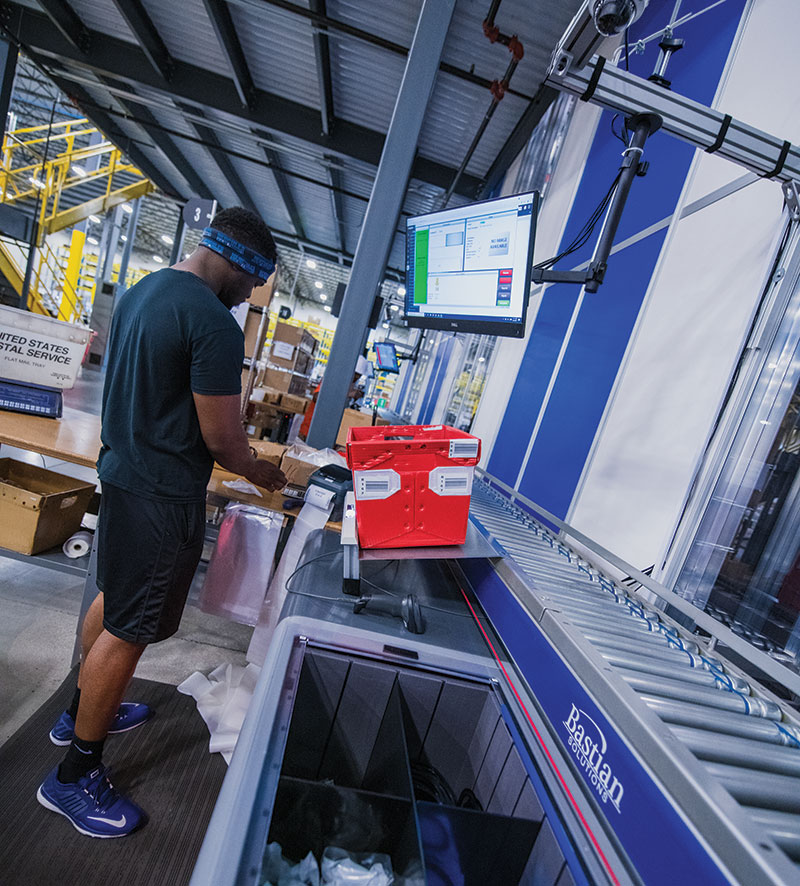
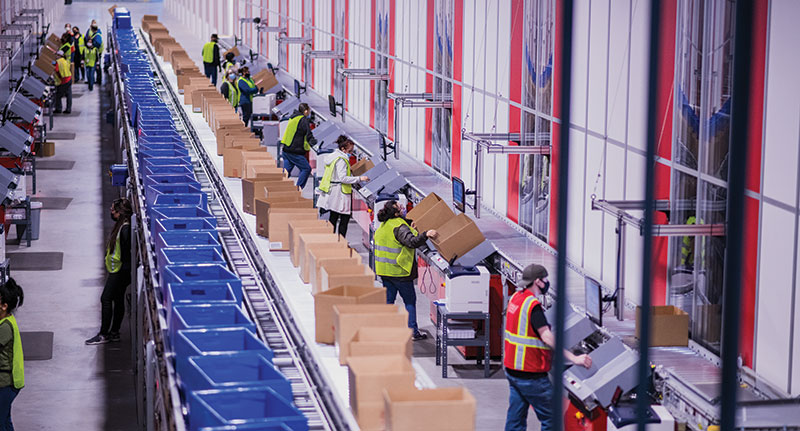
Web-services based integration between AS/RS-level software and WMS allows for near real-time visibility into inventory consumption, which in turn supports timely replenishment of the automation. Here, a vertical buffer module solution is used to pick small parts. Forget the global supply chain snarls for a moment and consider another changing reality with inventory: the increasingly intricate flow of goods and inventory transactions involved inside today’s fulfillment centers. While warehouse management system (WMS) software solutions have long been responsible for inventory control in DCs, the complexity of inventory flows and inventory visibility in a modern fulfillment center is a far cry from mainly manual DCs of the not too distant past, where one forward picking zone often served the whole operation. Today, by contrast, fulfillment centers might have multiple zones of automation with subsystems like automated storage and retrieval (AS/RS) solutions or robotic goods-to-person (GTP) systems that may have software that manages some aspects of inventory, along with storage and bin location functions. Getting these subsystems to interoperate smoothly with WMS when it comes to real-time inventory allocation as part of order release, as well as timely replenishment of SKUs needing by multiple picking systems, is changing the functional needs in the WMS market. Metering the flow of goods around order release is also part of the value proposition for warehouse execution system (WES) software, a category of software that sits between the automation and WMS, and is offered by a mix of vendors, including some WMS providers. “In today’s distribution, it’s all about product flow,” says Dan Gilmore, chief marketing officer with Softeon, a WMS and WES software provider. “And certainly, there is a segment of the market where DCs are growing larger and more complex. In these environments, that means there’s more and more processes and systems that need to be synchronized. And, if you can’t do that well, you wind up with bottlenecks.” The core inventory management features in WMS remain relevant, however. WMS solutions still use bar code data capture to verify inventory consumption or moves, and functions like cycle counting and tracking minimum SKU levels as part of managing replenishment of forward pick locations, remain WMS table stakes. But when it comes to metering the flow of inventory to automation as part of a nimbler approach to order release, things are changing. A primary use for WES is managing order release to processes and systems on the floor in a way that creates a level flow of work that makes the most of the robotics and machinery. The WES market has multiple players, including integrators with WES and WMS vendors that have built up WES capabilities. Major warehouse automation vendors also offer software at the WES and WMS levels. In most cases, the WMS remains the system of record for most inventory data, but WES functionality is increasingly being deployed for smart order release, with real-time monitoring of inventory levels as part of that. The beauty of WES, says Gilmore, is that it level loads and pulls work through a warehouse, which triggers inventory allocation and replenishment activity. “Clearly, there is some opportunity now with WES capabilities to achieve a much more level-loaded flow of work, and that’s true where it’s manual processes, or automated facilities, or some combination,” says Gilmore. Optimal use of goods-to-person automation involves an interplay of labor, machine and inventory resource insights that likely calls for a mix of warehouse execution/warehouse management capabilities. While some automation subsystems track minimum inventory levels and request inventory from a WMS or a WES, some operations may want the WES to actively monitor inventory in different zones and make the call on when replenishment or other inventory moves are needed, says Gilmore. “The advantage of letting the WES do it is that it can look at the whole flow of work and inventory more holistically—not just what one goods-to-person system is doing—but all the other automated and manual systems, and manage the whole flow of goods,” says Gilmore. WMS software is still the transactional foundation for the warehouse, adds Gilmore, and is essential for controlling inventory as part of processes like receiving, putaway, crossdocking, or pack out and shipping workflows. However, WES shines at the orchestration role as it examines the order pool, looking at resource and inventory availability in the way it releases work and triggers needed inventory allocations, so that with the fewest number of SKUs and inventory replenishments, the DC operation sees maximum throughput in a given amount of time, says Gilmore. WES capability also helps by dynamically changing work routing decisions. For example, a WES can sense congestion at a put wall system, and temporarily route work that is normally processed by that put wall though some alternative method, like a cart-pick process. Then when congestion at the put-wall system clears, the WES can start releasing work back to the put-wall system. “This is very different than what most WMS solutions have done in the past,” says Gilmore. “More smarts and machine learning come into play. You want to be able to take advantage of all the optimization opportunities.” With more automation in warehouses, major WMS vendors have been building out their WES capabilities to communicate on a near constant basis with automation systems when it comes to order release and inventory disposition decisions, notes Sean Elliott, CTO for Körber Supply Chain Software, which offers WMS and WES software. Generally, WMS tracks and manages inventory at an aggregate level in the DC, while the WES capability is aware of the automation status, knows current inventory levels in the automation, and has logic and rules to prioritize what system to assign the work to. “You do see more inventory disposition decisions being required for optimal execution,” says Elliott. “WMS vendors have taken on more execution capabilities because it’s the only way you can orchestrate that kind of inventory view into the execution plan. That aggregate inventory view is helping determine what to dispatch, when to dispatch, and when to replenish, which becomes a critical component of how a WMS fosters that execution optimization.” Near constant communication with automation systems through application programming interfaces (APIs) allow a WMS/WES solution to know the current inventory in different systems, but it’s up to the WES logic to make the smartest order release and inventory allocation decisions, Elliot explains. On paper, one automation system might be more efficient at fulfilling orders in the order pool, but if that system is in the middle of replenishment and is short on inventory needed to complete the work, a different system may end up being faster, says Elliott. “To make the most optimal decisions, you can’t effectively do that without one system that actually understands the whole truth,” he says. Some automation solutions are configured to let a WMS, WES or other host system control its inventory, while others have their own inventory software which in some instances triggers inventory replenishment requests. Even when a host system manages the replenishment for a GTP or AS/RS, it’s typically the software at the automation level that controls aspects bin positions and performs fleet management over the robots or carriers. It’s typically a division of duties, with WES or WMS capability to do the broader orchestration, but leaving the automation software platform to manage the actual movement of carriers and particulars of bin storage, explains Chris Bratten, manager of logistics consulting at Bastian Solutions, a warehouse integrator and solutions provider whose Exacta software offers WMS and WES capabilities. Bratten says it’s usually best to have one higher-level system that can manage inventory and order release, but ideally involves granular, two-way communication, with the GTP solution having purview over movements and bin manipulation, and reporting inventory consumption as it happens. “The host level system is coordinating all the work that needs to happen, and giving the machine parameters about when that work should happen, so the system can be prepared to move efficiently. The host system typically gives it some flexibility in how it completes its tasks,” Bratten says. Not all GTP systems or system deployments are implemented in the same way, says Bratten, but generally, a WMS, WES, or some other host system oversees inventory levels and replenishment for a GTP solution. “It really can run the gambit from the [GTP] system being completely dependent on the host system [for inventory management], to some version of them working together and sort of holding hands through the process,” says Bratten. Typically, a higher-level system such as a WES or a WMS is used to manage inventory flow and replenishment of SKUs held in goods-to-person automation, with the GTP solution’s software typically controlling bin manipulation and slotting within the automation. With some older WMS or host systems, the architecture is such that continuous, API-based inventory reconciliations may be hard to achieve, but for the most part, newer, Web services APIs from major WMS providers make integration between AS/RS and host systems highly effective, says Douglas Card, director of systems and integrator sales for AS/RS solution provider Kardex Remstar. “It’s gotten much better over the years because of the more open platforms that accept what are known as “REST APIs” which are like a common dialogue for disparate systems to talk to each other easily,” Card says. With most of Kardex Remstar’s solutions, a WMS or WES functions as the overall inventory management system while detailed inventory data for the AS/RS or a bank of AS/RS machines is managed by Kardex Remstar’s software, says Card. In many deployments, the host system views an AS/RS like “virtual location or bin,” says Card. The host wants to know how much inventory is in the bin, but may not care exactly where it’s stored in the moment. Monitoring minimum inventory levels can be handled by Kardex Remstar’s software to trigger replenishment, but more typically, the WMS tracks minimum SKU levels and handles the replenishment process. Card adds that while effective two-way integration with WMS is not difficult to achieve today, one area that does need improvement is that organizations wanting to leverage AS/RS should have processes in place to capture accurate data on item weights and dimensions. Having accurate weight and dimensional data at the WMS level ensures the AS/RS solution can use that to manage storage. “If you have good dimensional and weight data, it allows you to maximize the cube utilization potential of the system,” says Card. Ultimately, WMS remains the key system for inventory management in most DCs, but as more DCs become fulfillment centers with automated zones that hold inventory, WES-level visibility into that inventory, and associated rules around dynamic order release, routing and related inventory allocation, becomes more important. Not all WMS solutions are created equal, of course, with some having more WES capabilities, along with more traditional inventory control functionality. At the end of the day, it’s a more complicated world at the warehouse level, and that complexity involves inventory. “Automated warehouses require more orchestration and inventory transactions, and this is where WES comes in,” says Laura Bickle, senior offering manager of WES at Honeywell. “WES is smarter in coordinating with each subsystem and decision point. It makes decisions in real-time, allowing for intervention and optimization throughout the fulfillment process. WES enables last-minute decisions that would increase order fulfillment efficiency in the warehouse. Honeywell’s WMS and WES have been tightly integrated to play to the strengths of both systems, with WMS used to plan the order fulfillment and WES executing it, while adjusting to various inventory exceptions that happen in a warehouse every day.” WES doesn’t necessarily manage all inventory details at the automation level, but it does function like a near real-time intermediary when it comes to inventory, says Bickle, because it constantly exchanges data with various automation systems, and communicates with supply chain level systems that management replenishment from suppliers. “Industry focus recently has been on integrating the various systems together,” says Bickle. “This opens up real-time communication of data to reduce the unknowns. It provides enough information so customers can efficiently fill orders without having WES control the inventory in every zone of the facility. “WES ‘talks’ to various automation systems to interchange information needed to intelligently orchestrate order fulfillment, and provide a high-level inventory snapshot to WMS so it can communicate with the upstream systems,” Bickle continues. “This level of integration ensures the systems are in sync irrespective of who manages the inventory. Having a fully integrated WMS and WES enables as much or as little automation and allows for scalability as the warehouse grows.” For managing material handling needs specifically, many manufacturers are deploying Autonomous Mobile Robots (AMRs) to move… Thu, March 17, 2022 – 2:00 pm EDT